Verifiable AI rendering

Change only what you drew. Prove the rest.

Upload any photo, mark the one thing you want changed, describe what should be there instead. RevUp Render edits inside that region only and copies every other pixel back byte-identical, with a receipt anyone can re-check. Other AI tools regenerate the whole picture; this one cannot.

Private early access: the app first asks for a one-time code sent to an invited email, no account needed (why). Built on INVAR, Anomly’s verifiable-compute stack. Receipts use the open INVAR receipt format, so verification never needs an account.

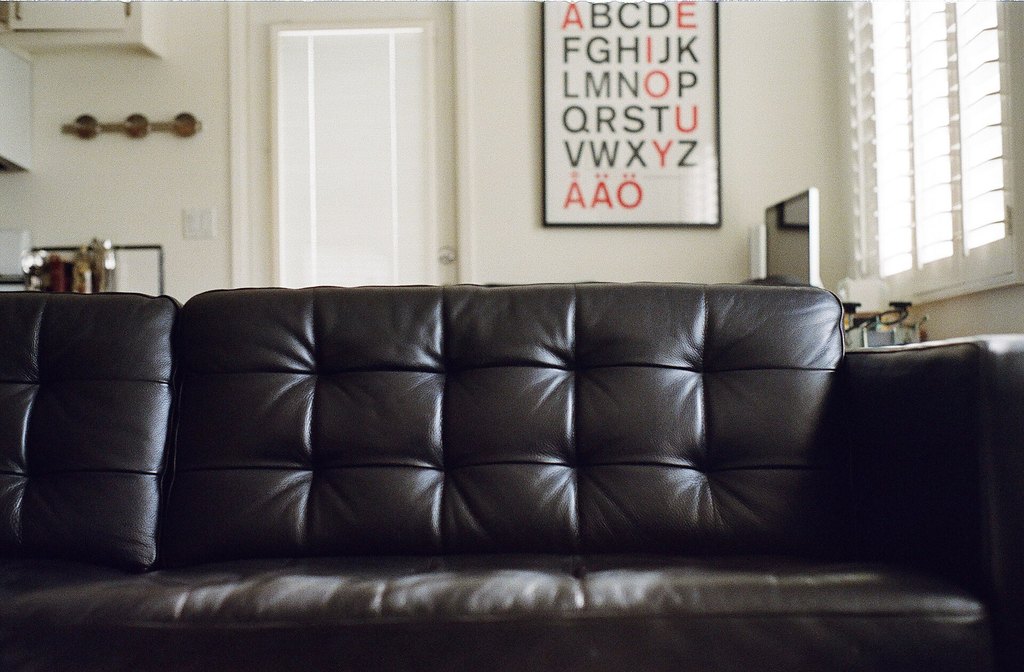
A living room photo with a black leather sofa and an alphabet poster on the wall
The same photo with the poster replaced by a framed vintage world map; everything else identical
OriginalRendered
VERIFIED · 0 of 687,695 locked pixels changed
↔
“a framed vintage world map poster” on a CC0 photo. One rectangle marked; sofa, door, shutters and wall untouched.

What changed in v2

Two engines. One promise.

The first RevUp Render was an AI rendering tool. This one is a rendering tool whose output can be checked. Both engines write the same kind of receipt, and the public verifier accepts either.

Edit engine

AI inpainting, fenced by your mask

Click the thing you want changed and magic select finds it, or brush the region yourself. A sofa, a car, a roof, a jacket: diffusion runs only inside that region. Outside it the original bytes are copied back verbatim, never re-encoded, never round-tripped through a model.

  • Magic select: click an object and the mask finds its edges
  • Material swap: real photographic textures, mapped to the plane you drag
  • Revision chain: every take is a link in the project’s history

Shipping now at app.revuprender.com.

INVAR render engine

A renderer specified in integers

Our Gaussian-splat renderer is defined by its specification, not by the hardware that ran it. Render a scene on a Ryzen workstation or on an NVIDIA GPU and you get the same bytes. A frame is a fact you can re-derive, not an approximation you have to trust.

  • Same frame hash on an AMD Ryzen 9 CPU and an NVIDIA RTX 5090
  • Certified capture: scene to pixels with a re-executable receipt
  • Scenes fitted from photos with a deterministic backward pass

In the product as Certified capture; full scene rendering in early access on the Firm plan.

How the guarantee works

Three steps, one receipt

This is the order things happen in, and the receipt records each one. The VERIFIED badge above is not a label we attach. It is your browser re-hashing the actual pixels.

You draw the box

Brush or click the region the AI may change. Everything else, trim, roofline, the yard, is locked at the pixel level.

The AI paints inside it

Real diffusion inpainting runs only inside the mask. The original pixels outside it are copied back byte for byte.

The receipt proves it

Input, mask, prompt, seed, model and output digests are chained into the project’s revision history. Anyone can re-check the locked region, forever.

// receipt.json from a real project (revision 2 of 2, abridged digests)
{ "index": 2,
  "prev": "sha256:07615efc…017710",
  "certificate": "sha256:37b60782…2b9b5",
  "manifest": {
    "spec": "rayspace-edit-receipt-v1", "profile": "masked-inpaint-exact-composite-v1",
    "input":  { "png": "sha256:006ff57c…e5c1", "width": 1024, "height": 760 },
    "mask":   { "png": "sha256:2af1c2b1…fd2b", "editable_pixels": 16655, "total_pixels": 778240 },
    "request": { "prompt": "stone wall, photorealistic", "seed": 4, "steps": 20, "strength": "1.00" },
    "engine": { "model_id": "Lykon/dreamshaper-8-inpainting", "model_revision": "a09e9d0b…5a39",
                "numerics": { "weights": "bposit16", "profile": "bposit16-weights-v1" } },
    "output": { "png": "sha256:0705ff02…f459" },
    "claim": { "locked_region_input":  "sha256:8eeb689f…828a35",
               "locked_region_output": "sha256:8eeb689f…828a35",
               "byte_identical_outside_mask": true } } }
// change one byte outside the mask and the two locked-region digests stop matching: FAILED

How to read it

certificate
A hash of the whole manifest. The verifier recomputes it from the bytes; if anything in the receipt was edited after the fact, it no longer matches.
prev
The certificate of the revision before this one. Every receipt in a project chains to the last, so history cannot be rewritten without breaking the chain. Every project chain on our server is re-verified end to end before each release, and a broken one fails the release gate.
mask.editable_pixels
How many pixels the AI was allowed to touch: 16,655 of 778,240 here, about 2% of the image. The rest is locked.
claim.locked_region
The same digest computed over the locked pixels of the input and of the output. Equal digests mean the two are byte-identical there. This is the guarantee, and it is checked from the actual pixels, not from the receipt's word.
profile
What the receipt claims about the pixels inside the mark. masked-inpaint-exact-composite-v1: a diffusion model painted them, with the model snapshot, seed and request recorded, so the render can be re-attempted but not re-executed bit for bit across hardware. deterministic-recolour-exact-composite-v1: they are arithmetic on the input pixels in integers, so the receipt re-executes to the same bytes with no model and no GPU. The same scene produces the same bytes on four different machines, two x86-64 including an AMD Ryzen 9 9950X3D and two Arm boards, across two Python versions and three major numpy versions, measured stage by stage rather than only on the final image. One of the four has no numpy at all: the result is a property of the specification, not of one library. Both make the identical guarantee outside the mark.
engine
The exact model snapshot, seed and numerics profile that ran, so the render can be reproduced and the claim about the AI's inputs is auditable.

Download this bundle and drop it on the verifier, or try the one-click samples there.

INVAR render engine

The same frame, on any machine

Floating-point renderers give slightly different pixels on different GPUs, drivers and thread counts. Ours is written in integers with a stated bit budget, so the frame is reproducible byte for byte. We publish the hashes and the commands that produce them.

Nine-view 320×180 quilt, whole frame

AMD Ryzen 9 9950X3Df050cd067df54e19CPU integer path
NVIDIA RTX 5090f050cd067df54e19same scene, CUDA

1080p frame, raster stage only

AMD Ryzen 9 9950X3D0d1a5d040298fef6the FPGA kernel run as C on the CPU
Xilinx Alveo U200 FPGA0d1a5d040298fef6same stage on the card, bit-identical

Two different artifacts, two hashes. Within each pair the bytes are identical across machines; the pairs are not meant to match each other.

0.944ms

per 1080p view on an RTX 5090. The float reference takes 0.6 to 0.8 ms on the same scene, so this is 1.2 to 1.6× float. It is not faster; it is reproducible.

2processors

train to bit-identical weights: the Ryzen 9 CPU and the RTX 5090 reach the same parameters at every step with identical losses.

1spec

defines the frame. Conformance vectors and the exact commands that reproduce every hash on this page are available to customers and reviewers on request.

More examples

Roofs, walls, objects: mark it, describe it.

Every render below came out of this pipeline. Drag the handles. Only the marked region changed; every other pixel is byte-identical to the input, and each render’s receipt proves it.

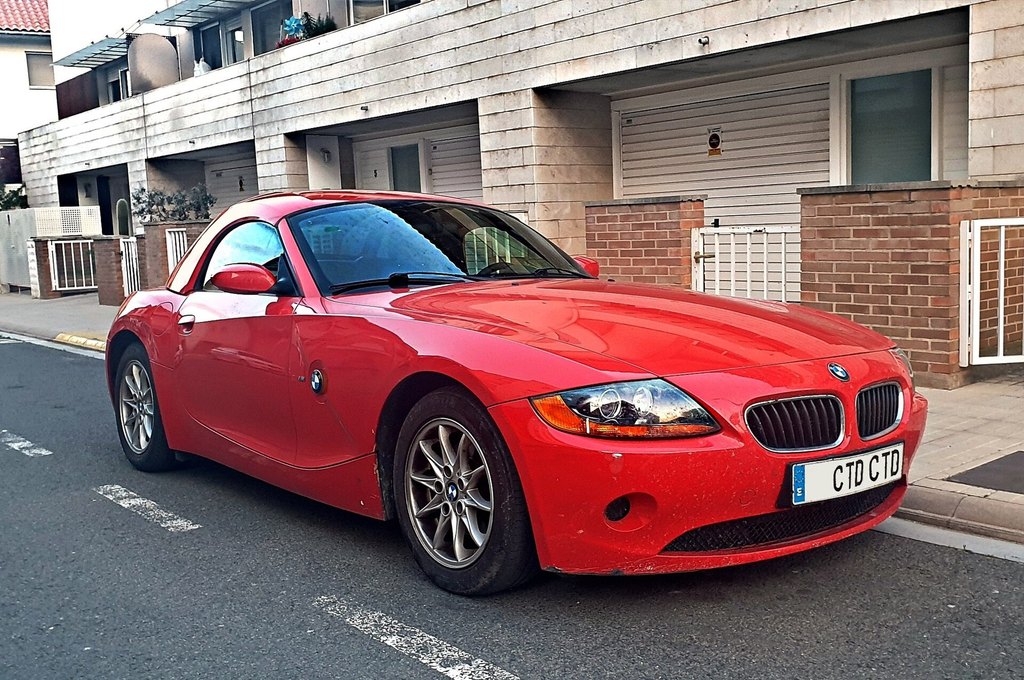
A red roadster parked on a street
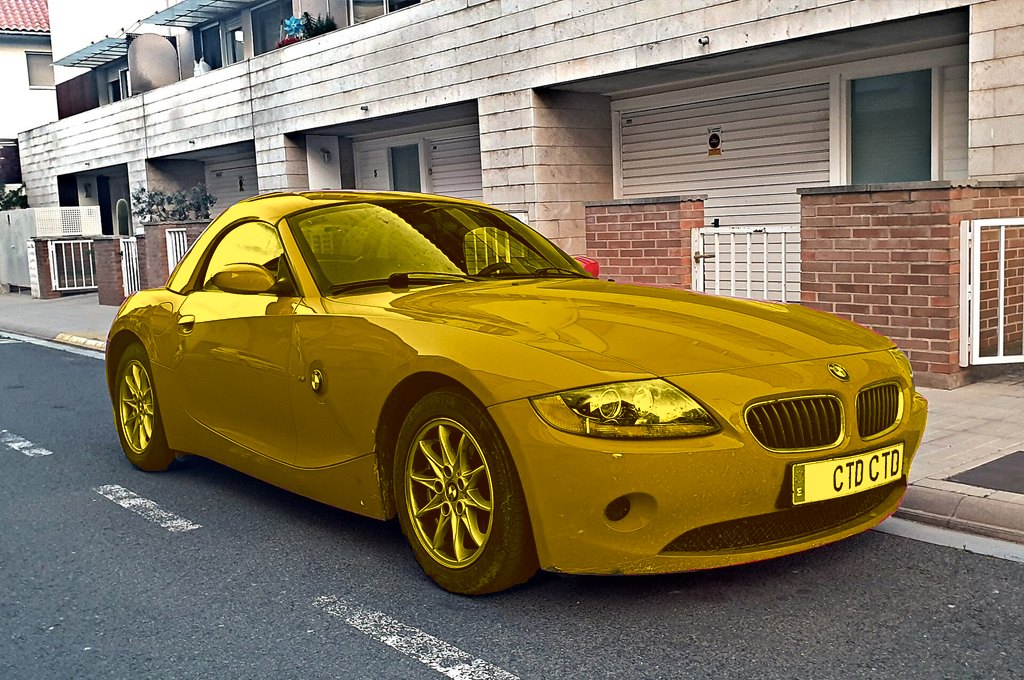
The same car recoloured yellow; street, walls and plate unchanged
OriginalRendered
VERIFIED · 0 of 472,427 locked pixels changed
↔

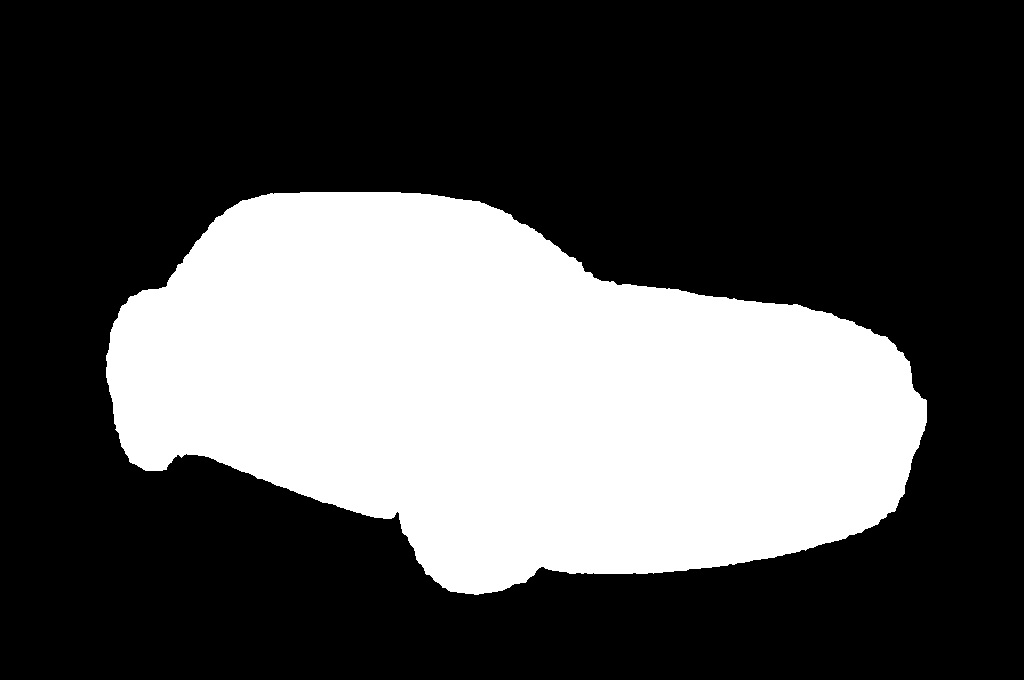
“Change its colour, keep the shape”: one click on the car, colour yellow. This is the default result: a deterministic recolour that keeps every highlight and reflection and gives the same bytes every run. An AI finish pass is an opt-in.

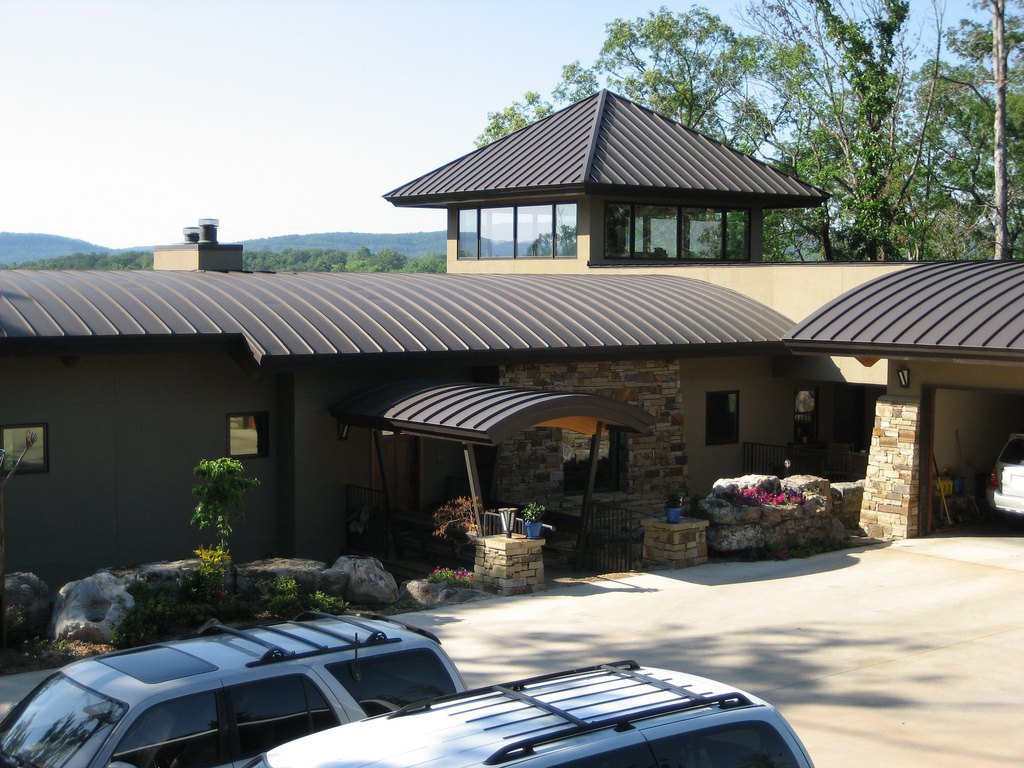
Original photo of a house with a standing-seam metal roof
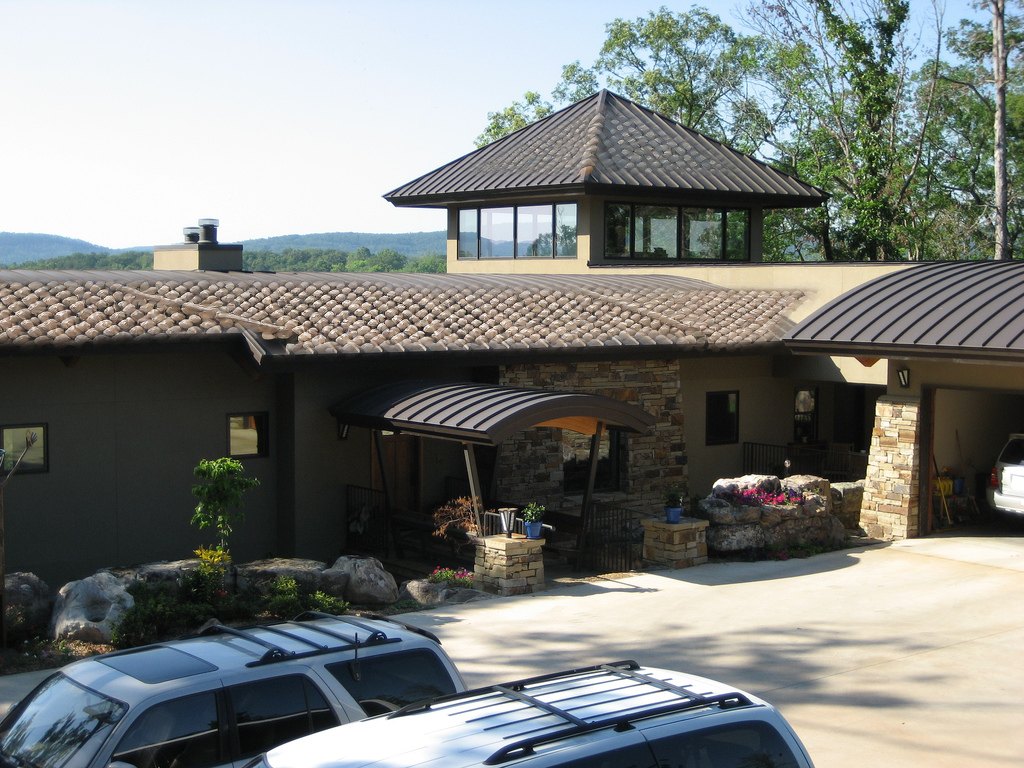
The same photo with the roof planes re-rendered as terracotta clay tile
OriginalRendered
VERIFIED · outside the mask: byte-identical
↔

“terracotta clay tile roof” · mask: the roof planes only · cupola glazing, cars, stonework and trees untouched.

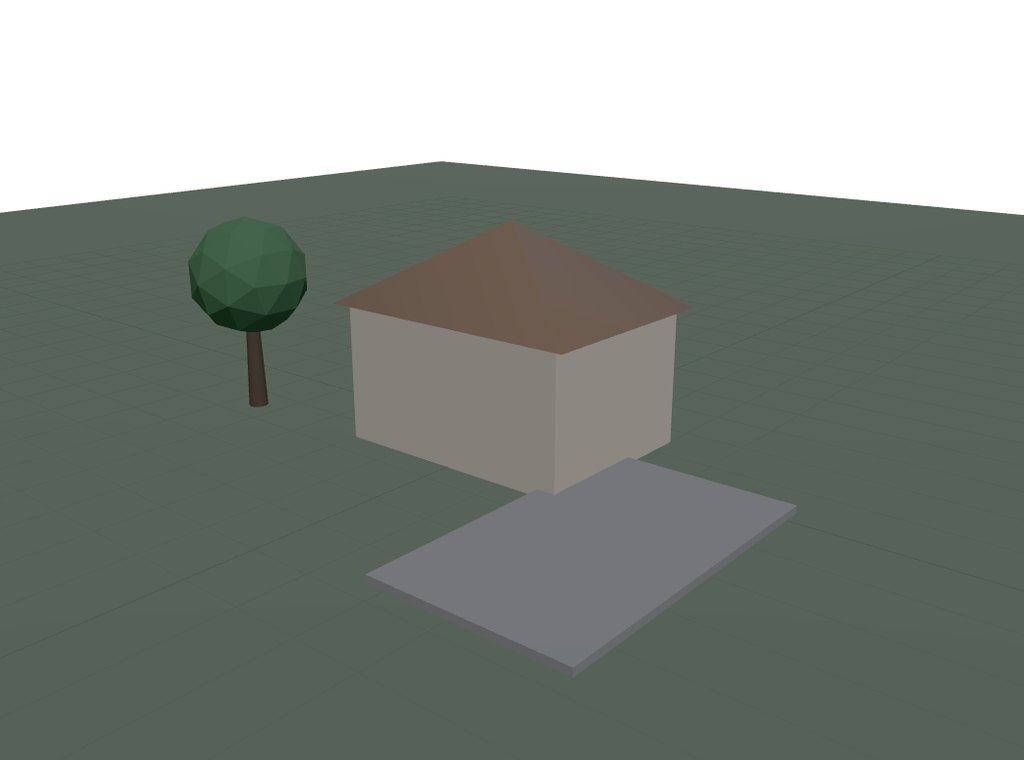
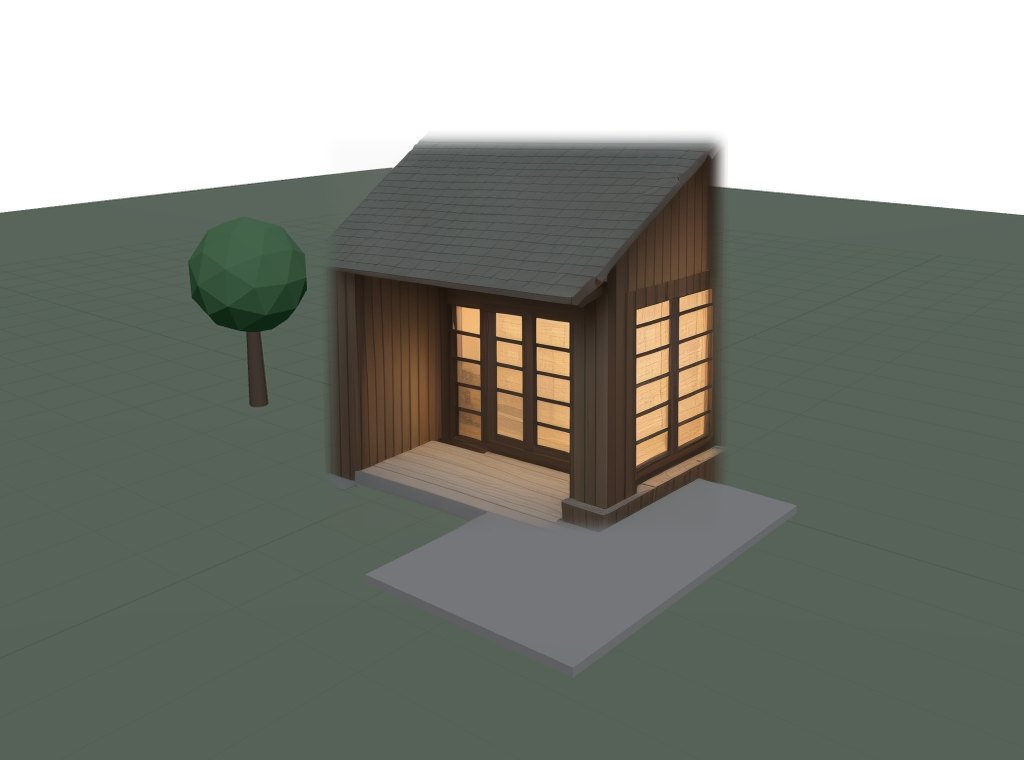
A simple 3D blockout of a house on a lawn
The blockout rendered as a craftsman bungalow in evening light inside the mask
BlockoutRendered
VERIFIED · lawn, tree and driveway untouched
↔
“cozy craftsman bungalow, warm evening light” from a 3D blockout

Who it is for

No photo yet? Block it out in 3D.

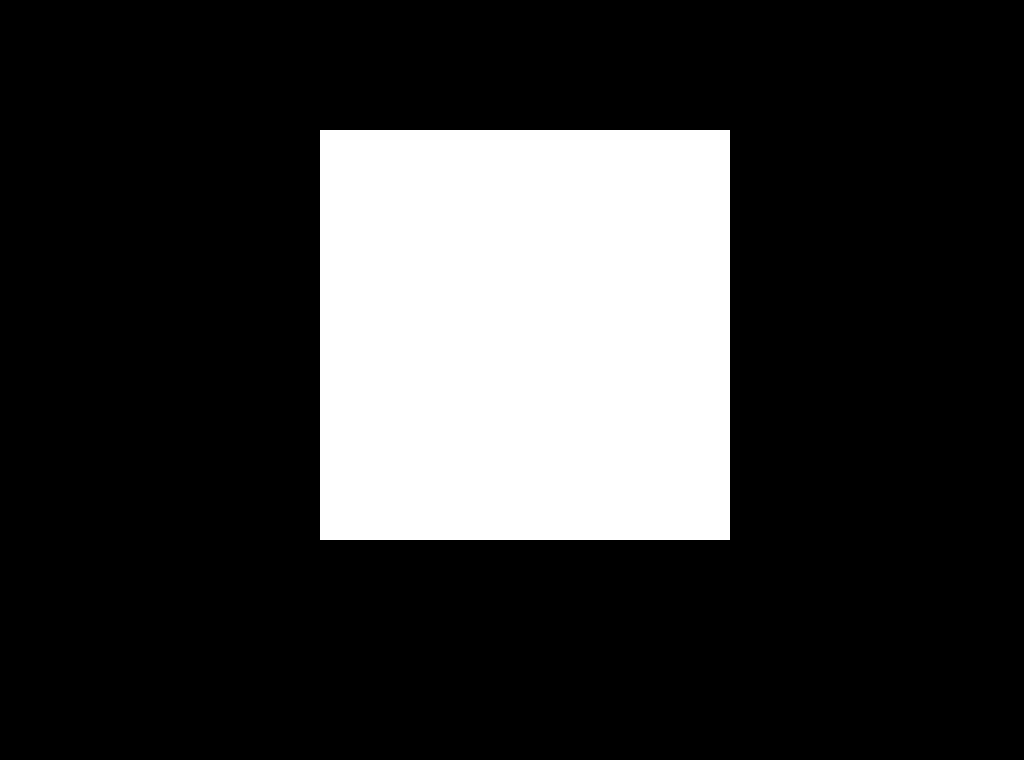
Scene mode gives you a blockout you can shape in the browser, capture with a certified receipt, then render inside an approved mask. Toggle the mask to see exactly where the AI was allowed to paint.

Who uses it

Edits that survive a skeptic

  • Anyone with a photo and one thing to change: the colour of the car, the sofa, the wall, the sky.
  • Product and listing photos where the item can change but the scene must stay honest.
  • Remodelers and designers showing a client the new roof without a redesigned house.
  • Permits, claims and evidence where a reviewer can confirm nothing outside the edit changed.
  • Studios that need the same frame from every render node, every time.

Receipts prove what ran. They do not prove the render is beautiful or code-compliant. That part is still yours.

RevUp Connect

Push the view from your 3D app

A connector sends the current view of your model, geometry plus camera, straight to a RevUp project. The studio renders it deterministically as revision 0, so the same scene from any machine gives the same bytes, and every push is chained into the project’s receipt history. From there you mark, describe and render as with any photo.

Available now

Blender

An add-on exports the active view as glTF with the camera and pushes it under your connector token. Tested end to end on Blender 4.2 LTS before every release: a real export, a real render, a receipt that re-verifies.

Built, awaiting first in-app run

SketchUp, Revit, AutoCAD, Fusion 360, Maya, 3ds Max

Six connectors on the same package format, one per application. Each is checked here without the host: the same reference model written through each connector’s exporter imports into Blender and renders to one identical image, byte for byte. The first run inside each application is with a design partner. Ask if you want to be that partner.

How it compares to NVIDIA Omniverse

NVIDIA Omniverse is the reference platform for 3D collaboration, and most of what it does, RevUp does not attempt. Here is the honest split.

NVIDIA OmniverseRevUp Render
InterchangeOpenUSD is the industry’s scene format, with a rich composition model of layers, references, payloads and variants.We accept USD and glTF, then flatten each scene once to a fixed integer form and hash that. Reading one unchanged USD file in eight separate processes gave us six different internal mappings, so the file alone does not pin down the scene.
VersioningNucleus keeps versions and immutable checkpoints of scene files, with access control, so you can see who changed a file and roll it back.Every revision is a signed entry in a chain, so the history is checkable by the person you sent it to rather than only by the server that stored it.
Live collaborationLive Sync lets several people edit one scene at the same time, which is genuinely hard and genuinely useful.We do not do that, and do not plan to. Our second user is your client, who approves rather than edits, and their comments and approvals go into the same verifiable chain.
RenderingRTX renders in real time and path-traces to photoreal quality, with physically based MDL materials, on NVIDIA GPUs.Our deterministic renderer is plainer by design: it is specified in integers, so the same scene produces the same image on different machines, and the pretty pass is declared separately.
Proof of what was renderedNucleus versions the scene that went in. NVIDIA publishes no reproducibility guarantee for the frames that come out.Every delivered image carries a receipt that names the pixels, and anyone can re-check it in a browser, including that everything outside the region you marked is byte-for-byte unchanged.

Where Omniverse is ahead, and it is not close. RTX is years of GPU engineering against hardware NVIDIA designs, and for photoreal real-time rendering there is no comparison to make: it is better, and it will stay better. Omniverse also has the ecosystem, and since May 2026 it is free for development and production use. If your problem is making something look as good as possible on NVIDIA hardware, use Omniverse.

What RevUp does that Omniverse does not. Omniverse can tell you who changed a file. It cannot tell your client that the image you delivered is the image you rendered, because the renderer above it makes no claim about reproducing its own output. RevUp is built the other way round: the arithmetic on the paths that make a claim is exact, so the same inputs give the same bytes on a different machine rather than merely on the same one, and each revision is a signed link in a chain your client can verify themselves, offline, with nothing installed. That is a smaller promise than photorealism and a different one. It is the promise that settles an argument about what was approved.

Comparison written 24 September 2026 from NVIDIA’s and Pixar’s published documentation. Omniverse changes quickly; if something here has gone out of date, tell us and we will correct it.

Built by Anomly

The verification stack underneath

RevUp Render is the first consumer product on INVAR, Anomly’s verifiable-compute stack. INVAR runs whole AI models under an exact profile so that an AMD Ryzen 9 CPU and an NVIDIA RTX 5090 produce the same output bytes, with a Tenstorrent Blackhole card and a Xilinx U200 FPGA re-executing challenged rows bit-identically. The receipt format RevUp uses is that same open format, which is why verification never depends on us.

How it compares

What a receipt changes

Most generative editors re-encode or regenerate the whole frame and hand you a picture. RevUp hands you a picture and a proof of what did not change.

PropertyTypical generative editorRevUp Render
Where the AI may paintThe whole frame, or a soft region it blendsOnly the region you marked, as a hard boundary
Pixels outside the markRe-encoded or regeneratedByte-identical to the input, copied back verbatim
Evidence per editNone, or a watermarkA receipt with input, mask, output and locked-region digests
Who can check itNobody; you trust the toolAnyone, in a browser or offline, no account
Colour change on one objectA new generation each timeDeterministic recolour, same bytes every run
Kind of photoAnyAny: rooms, cars, buildings, products

Pricing

Every plan includes the guarantee

Verifying a receipt is free forever and needs no account. Plans are for making renders. Founding-member pricing is open until the render engine leaves early access.

Hobby

$19/mo
  • 100 renders a month
  • Pixel guarantee on every render
  • In-browser verification
Get access

Firm

$99/mo
  • Teams and shared projects
  • API access
  • White-label receipt bundles
  • INVAR render engine early access
Get access

The honest boundary

What is proven, and what is not

We would rather you know exactly where the guarantee ends than discover it in front of a client.

Proven

Outside your approved mask, the output is byte-identical to the input. Anyone can re-check it with the receipt, on any machine, at any later date.

With the INVAR render engine, the frame itself is reproducible: the same scene gives the same bytes on the processors listed above.

The deterministic recolour, which is integer arithmetic on your own pixels, and every digest in the receipt, including the ones over the locked region. The one place the inside of the mark is checkable is a recolour, where your browser re-executes the operator itself.

Not claimed

Semantic minimality inside the mask. Ask for a metal roof and the model may also reinterpret the roofline. AI is AI inside the box you drew.

Speed over float renderers. The integer renderer is 1.2 to 1.6× the float reference; what it buys is reproducibility.

Bit-for-bit re-execution of the pixels a diffusion model paints inside your mark. That render can be re-attempted from the model snapshot, seed and request we record; it cannot be re-executed identically on different hardware. The receipt says which case you have in its profile name, not in a footnote.

Questions

Straight answers

The short version of what people ask before their first render.

What is a receipt?

A small signed-by-hash record written with every render: digests of the input, the mask and the output, the prompt, seed and model snapshot, and the digest of the pixels outside the mask before and after. It chains to the previous revision of the project. Anyone can re-check it, in the browser or offline, without an account.

What exactly is proven, and what is not?

Proven: outside the region you marked, the output is byte-identical to the input, and the project history has not been rewritten. Not proven: that the AI did the right thing inside the region, or that the render is beautiful or code-compliant. Inside the mark, AI is AI.

Why the guarantee is pixel-space and not a promise: independent research in late 2025 showed that masking inside a diffusion model’s latent space cannot be pixel-equivalent, because the model’s encoder mixes context across the whole frame. We never rely on the latent mask. The original bytes outside your mark are copied back after the model runs, and the receipt hashes that region on both sides.

Does it work on any photo?

Yes. Upload a PNG or JPEG of anything: a room, a car, a house, a product. Click the thing you want changed and magic select finds its edges, or paint the region yourself. Photos are scaled so the long side is at most 1024 pixels; the original bytes are recorded in the receipt.

Can it change the colour of something without changing its shape?

Yes. Colour mode applies a deterministic recolour that keeps every highlight and shadow, then optionally refines the finish with the shape locked. The recolour is byte-reproducible: run it twice and you get the same file.

Can my client check the part you changed, not just the part you didn’t?

For a colour change, yes. A deterministic recolour is integer arithmetic on your own pixels, so your client’s browser re-executes it and confirms the marked region as well as the region left alone. The browser code is a port of the worker’s, and its tables are derived in the browser from the same constants rather than copied across, so the check proves it computes the same numbers, not that someone pasted an array correctly. For an AI inpaint the answer is no, and it will stay no: nobody re-runs a diffusion model in a tab. There the claim is the one it has always been: outside your mark, byte-identical.

My client approved a frame. Can anyone check that later, or do they have to trust your records?

They can check it, in a browser, from the file you send them. A comment names the region it is about by a digest of those pixels. An approval names the frame it approves by a digest of every pixel, not by a revision number, so it cannot be quietly moved onto a later render. Both are entries in the same chain as the renders, and the bundle carries them, so dropping that file on our verify page re-derives each one: the text was not edited, it names this picture, and the pixels under it are still these pixels. Each comment gets its own line, so one altered pixel under one comment fails that comment and leaves the rest standing.

What it does not do is prove who approved. The author on an approval cannot be changed without breaking it, but it is a claim, not a signature; that would need a key per reviewer, and we have not built one. A bundle is about one picture: it carries the comments and approval for that revision, and the chain inside it lists renders, so what you are checking is this frame’s review and not a whole project’s history.

Does it work on a phone?

Yes. Upload from your camera roll, tap the thing you want changed, describe it, and the verified result comes back in the same screen. The whole first run, from a new account to a VERIFIED badge, is tested on a 390-pixel-wide viewport before every release.

Why does the app ask me to sign in through Cloudflare?

RevUp Render is in private early access. The app sits behind an email one-time-code check so only invited people reach it; no account is created. Verifying a receipt never needs any login and works at revuprender.com/verify.

How much does it cost?

Plans are listed above and founding-member pricing holds until the render engine leaves early access. Verifying is free forever. To get an early-access seat, use the contact link and say what you want to edit.

Where does my photo go?

To our own GPU server, not a third-party API. Renders and receipts stay in your project until you delete it, and only you can read them. Sharing a result with a client uses a separate revocable link; revoke it and the link goes dark. Receipt bundles you download contain only your own images and the receipt.

Free, forever, no account

Verify a render

Drop a receipt bundle from any RevUp project and your browser re-hashes the locked region and walks the revision chain. Nothing is uploaded. A genuine bundle returns VERIFIED. Change a single byte and it returns FAILED.

Drop a receipt .zip here or a bare receipt.json / worldline.jsonl runs entirely in your browser